

Maximize customer reach with Turbodev
WhatsApp Broadcast software
Deliver campaigns straight to your customers with WhatsApp Broadcast.

Trusted by 500+ businesses










FEATURES
Key features and functionalities of WhatsApp Broadcast software
Connect with your ideal audience
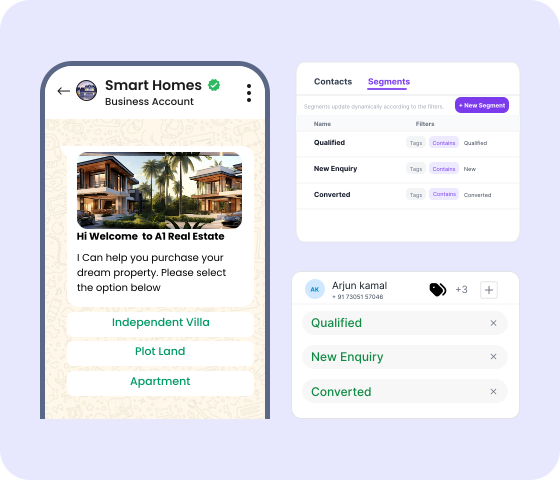
- Upload contact lists or filter groups by opt-ins, tags, or demographics.
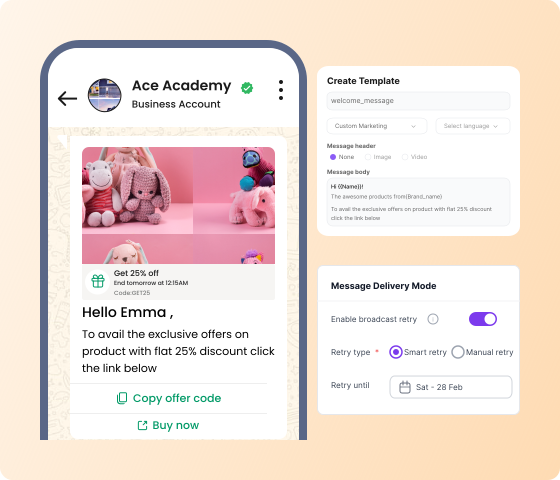
- Use Meta-approved templates to create relevant content that resonates with each audience.
- Verify your message with up to 10 sample contacts to ensure perfect delivery.

Messages that land, every time
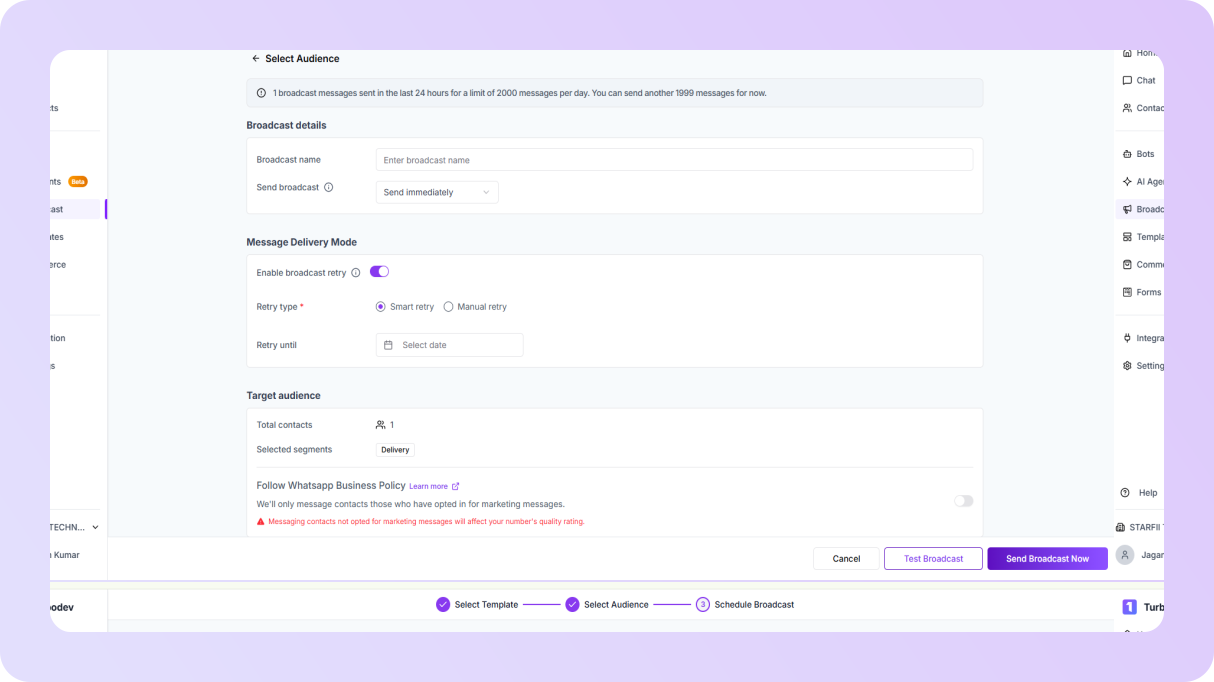
- Auto-resend undelivered messages (3 attempts) on a chosen date.
- Plan campaigns to be sent at optimal times for maximum impact.
- Adjust or cancel broadcasts anytime.
Approved templates for every need
- Ready-to-use templates for notifications, alerts, and updates.
- Choose from utility (billing alerts), marketing (promotions), or authentication (OTPs) to match your goal.
- Insert customer-specific details so your messages feel personalized.

Your workflow, optimized
- Create, monitor, and manage all broadcasts via a single dashboard.
- Automatically direct replies to the right team with smart routing.
- Reassign conversations instantly to balance workload.
BENEFITS
Benefits of using WhatsApp Broadcast
Higher opens, replies & conversions
Send personalized messages at scale by segmenting your audience. Watch engagement soar beyond email and SMS.
Launch campaigns in minutes
Create, schedule, and track all your messages from one dashboard with no manual work, just fast and effective outreach.
Optimize campaigns on the fly
Test messages before sending, track key metrics, and refine your strategy to maximize results while staying compliant.
Instant updates & promotions
Leverage WhatsApp's high open rates for urgent alerts, and keep conversations flowing with seamless two-way chats.
SETUP
How to get started with WhatsApp Broadcast Software
Access broadcast feature
Log in to your Turbodev account and navigate to the Broadcast section in the dashboard.
Select contacts
Create a new broadcast list by selecting contacts from your list or uploading from Excel.
Craft message
Compose your message and customize it with templates, media, or variables as needed.
Send or schedule
Schedule the broadcast for later or send it immediately to your audience.
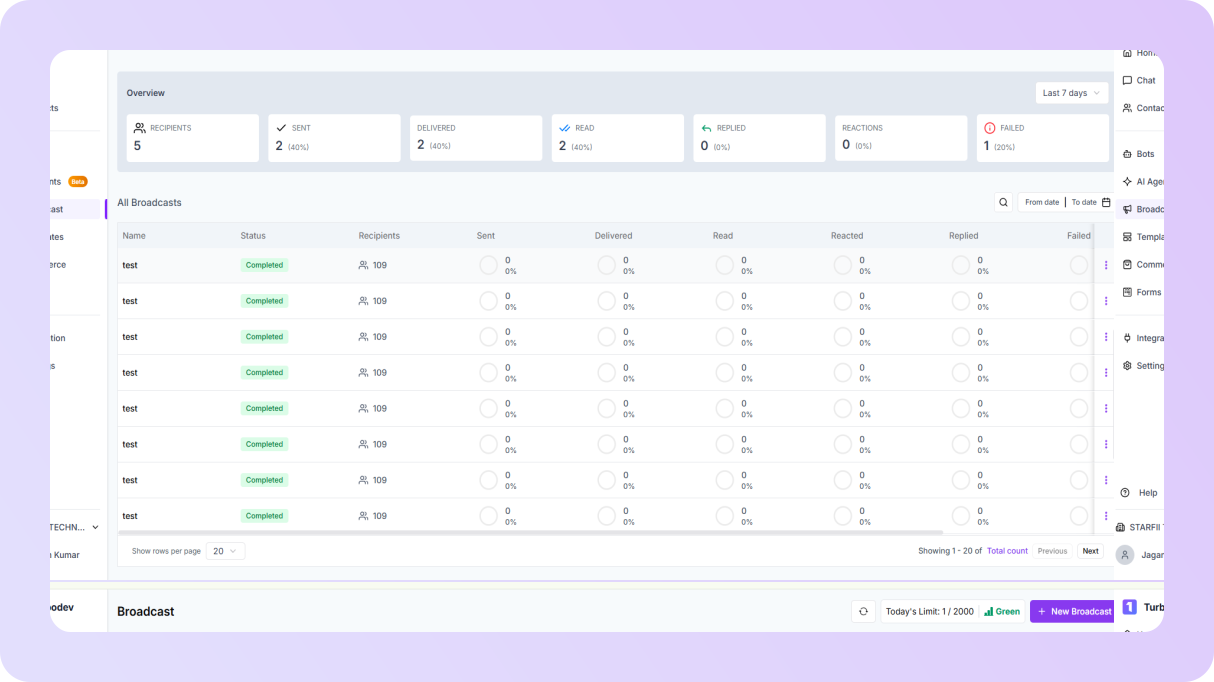
Log in to your Turbodev account and navigate to the Broadcast section in the dashboard.
Create a new broadcast list by selecting contacts from your list or uploading from Excel.
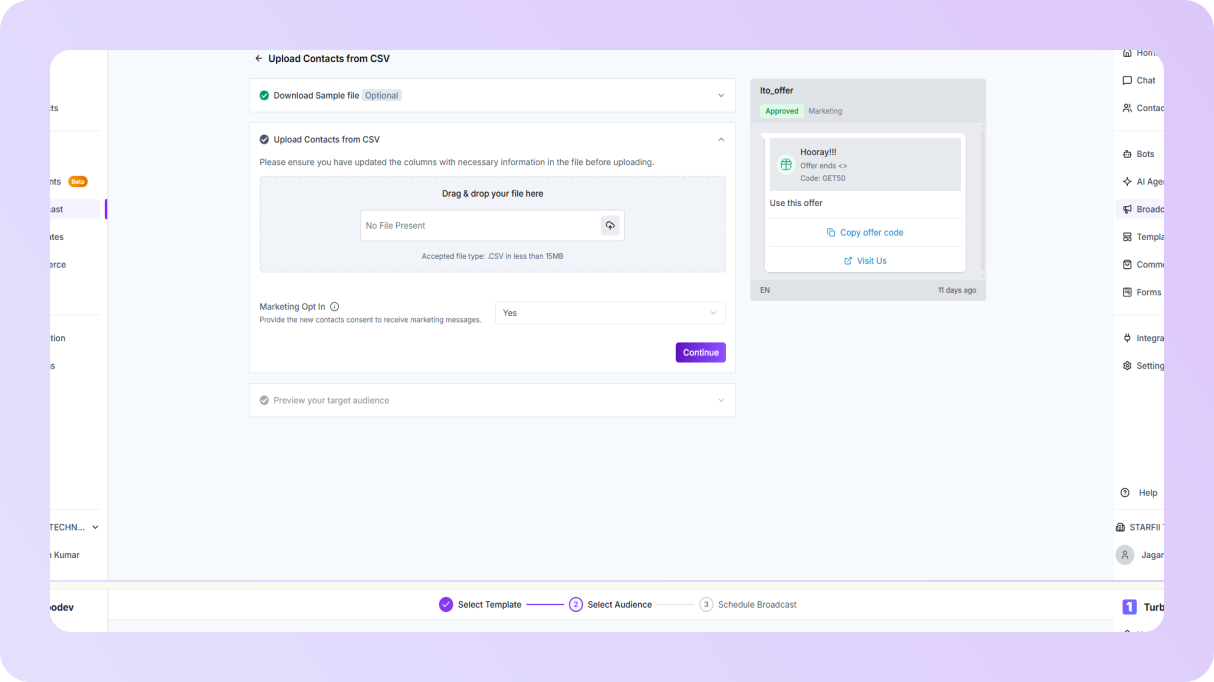
Compose your message and customize it with templates, media, or variables as needed.
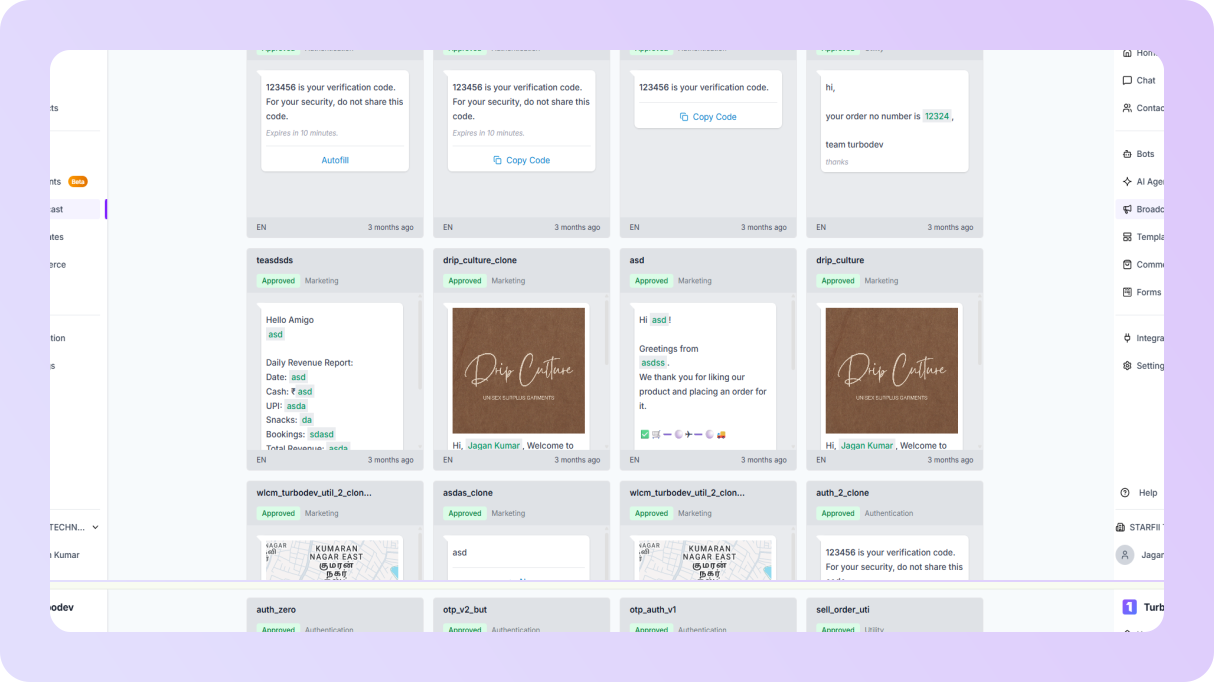
Schedule the broadcast for later or send it immediately to your audience.
FAQ
Frequently asked questions
Get Started with WhatsApp Business Solution Provider
Join hundreds of businesses leveraging Turbodev's WhatsApp Business API to scale their customer engagement and drive revenue